How to Mirror Your iPhone to a Windows PC
Windows still can't receive AirPlay connections on its own. Try to open Screen Mirroring on an iPhone in a room full of PCs. The list comes back...

1 min read
Say hello to Chrome browser screen mirroring. The latest Ditto update makes wireless content sharing easier and more accessible than ever before. Ditto Connect for Web offers Ditto users more ways to share content from their devices.
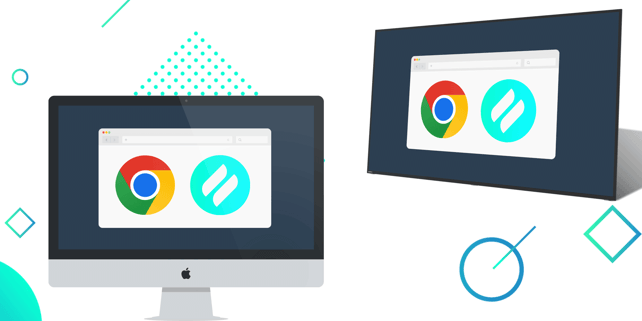
Ditto Connect for Web initiates screen mirroring from a Chrome web browser. Users have the option to share their entire device screen, a window or a browser tab along with system audio. Screen mirroring via Ditto Connect for Web is available on Mac, Windows and Chrome OS devices. Android and iOS/iPadOS users can still share via the Ditto Connect app.
Ditto Connect for Web does not require users to download an app to screen mirror. Organizations using Ditto will find that it's an easy and accessible way for visitors and internal users to share content without requiring the downloadable Ditto Connect app.
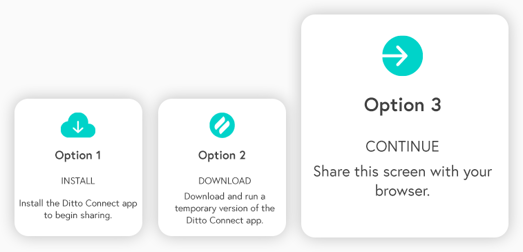
This update introduces yet another way for Ditto users to wirelessly share their device screens, joining the downloadable Ditto Connect app along with the temporary installable Ditto Connect app.

Ditto Connect for Web allows you to share to any Ditto-receiver enabled display.
1. Users simply visit the Ditto Connect page in a Chrome browser.
2. Enter the Ditto room code shown on a Ditto receiver-connected display.
3. Choose the option to share via browser.
4. Click "Start Mirroring."
5. Then select what should be mirrored: the entire device screen, a window or a Chrome tab. Optionally, enable audio.
Ditto brings cross-platform, multi-display and multi-device screen mirroring capabilities to any space. It's the best and easiest way to share content wirelessly in collaborative environments. Ditto is trusted by some of the biggest names in tech and education. Try Ditto free for 30 days.

Windows still can't receive AirPlay connections on its own. Try to open Screen Mirroring on an iPhone in a room full of PCs. The list comes back...
Windows doesn't include AirPlay. Apple TV doesn't support Miracast, the wireless display standard built into Windows devices. That's why your PC...
Most people don't need a second monitor every day. Sometimes it's just helpful to have one for the next two hours: tax documents next to the filing...
1 min read
The latest Ditto update adds the ability to initiate screen mirroring from the Chrome web browser on Chrome OS, Mac and Windows devices.
1 min read
You’re using a Chromebook for your next big presentation. You’ve mirrored to a Chromecast before, but the conference room you’ll be using only has an...

1 min read
The presentation you’re about to give is a big one. You’ve rehearsed it a hundred times over, crafted a beautiful slideshow and have a demo ready to...

Mirror any device to your screen — wirelessly.
One universal license for each app — works on macOS and Windows.
— or buy Reflector 4 on its own —



For schools, districts or volume licensing — contact us.

Stream audio and video from your Mac or PC to any screen.
One universal license for each app — works on macOS and Windows.
— or buy AirParrot 3 on its own —
For schools, districts or volume licensing — contact us.