Introducing the Ditto Fire OS Receiver
The new Ditto Fire OS Receiver brings wireless screen mirroring, digital signage and emergency alerts to Fire OS devices. It joins Windows, Apple TV...

1 min read
A little-known feature of Apple TV is quite handy when paired with Ditto.
Conference Room Display mode allows administrators to display instructions for connecting to the TV. In the case of Ditto, this feature means there’s no physical printout required, and users will immediately know how to wirelessly connect their Mac or PC screen to the Apple TV.
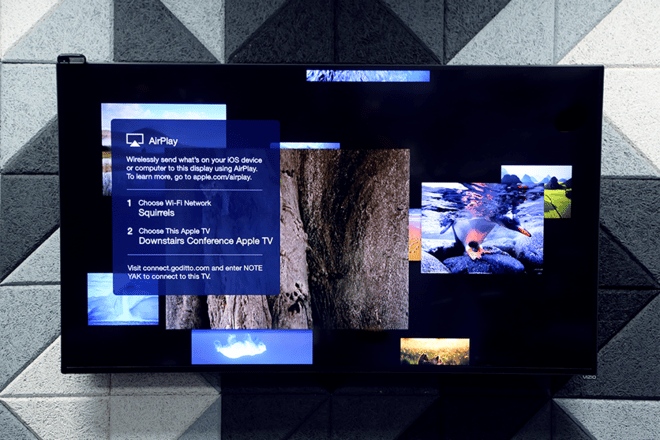
Enabling Conference Room Display mode is simple:
That’s it! Once you’ve enabled this setting, you’ll need to follow a few more steps to completely set up this feature for use with Ditto.
To configure Conference Room Display mode for use with Ditto, follow these simple steps:
When the Apple TV is turned on or woken from sleep, the custom message text is displayed.

The new Ditto Fire OS Receiver brings wireless screen mirroring, digital signage and emergency alerts to Fire OS devices. It joins Windows, Apple TV...

Ditto now runs on Android-powered displays. The new Ditto Android Receiver gives schools and businesses another way to bring wireless screen...

Windows still can't receive AirPlay connections on its own. Try to open Screen Mirroring on an iPhone in a room full of PCs. The list comes back...
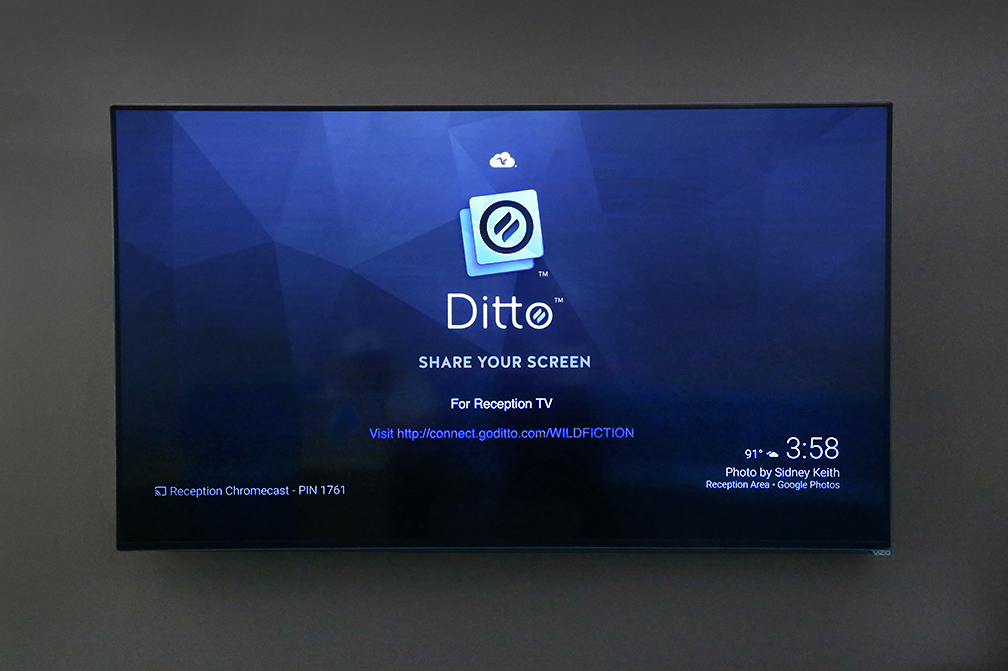
How to Configure a Chromecast Background to Display Ditto Connection Details
Apple TV and Chromecast - Which is Better for Conference Room Screen Sharing?

Smart IT departments have discovered that Ditto screen mirroring saves time, effort and money. See how Ditto makes conference room technology simple.

Mirror any device to your screen — wirelessly.
One universal license for each app — works on macOS and Windows.
— or buy Reflector 4 on its own —



For schools, districts or volume licensing — contact us.

Stream audio and video from your Mac or PC to any screen.
One universal license for each app — works on macOS and Windows.
— or buy AirParrot 3 on its own —
For schools, districts or volume licensing — contact us.