Introducing the Ditto Fire OS Receiver
The new Ditto Fire OS Receiver brings wireless screen mirroring, digital signage and emergency alerts to Fire OS devices. It joins Windows, Apple TV...

2 min read
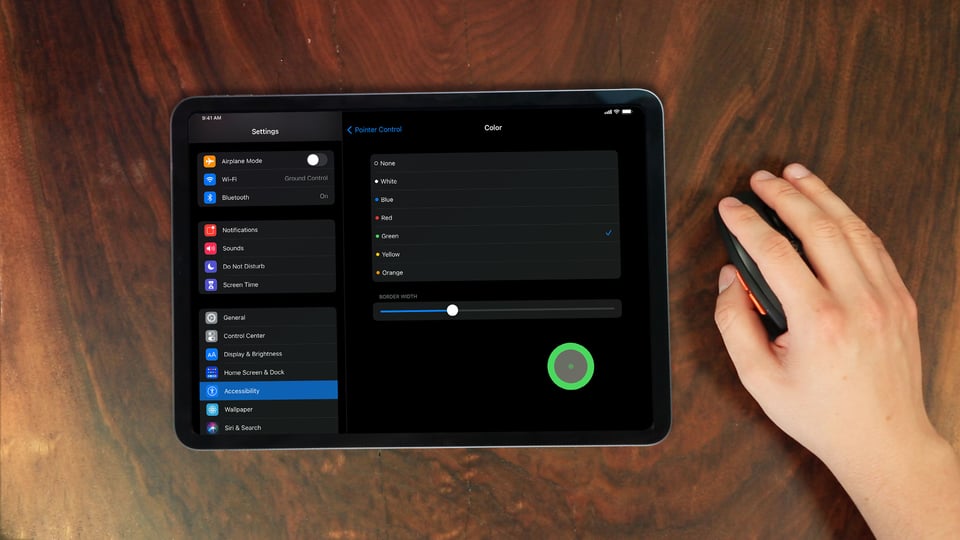
In iPadOS 14, mouse support is an accessibility feature that allows you to connect and use a Bluetooth mouse with your iPad. You can learn how to set it up yourself with the step-by-step guide on our blog.
A mouse cursor on your iPad is pretty bland from the start. Luckily, you have a lot of options to customize how your mouse acts and appears on-screen. This guide shows you how.
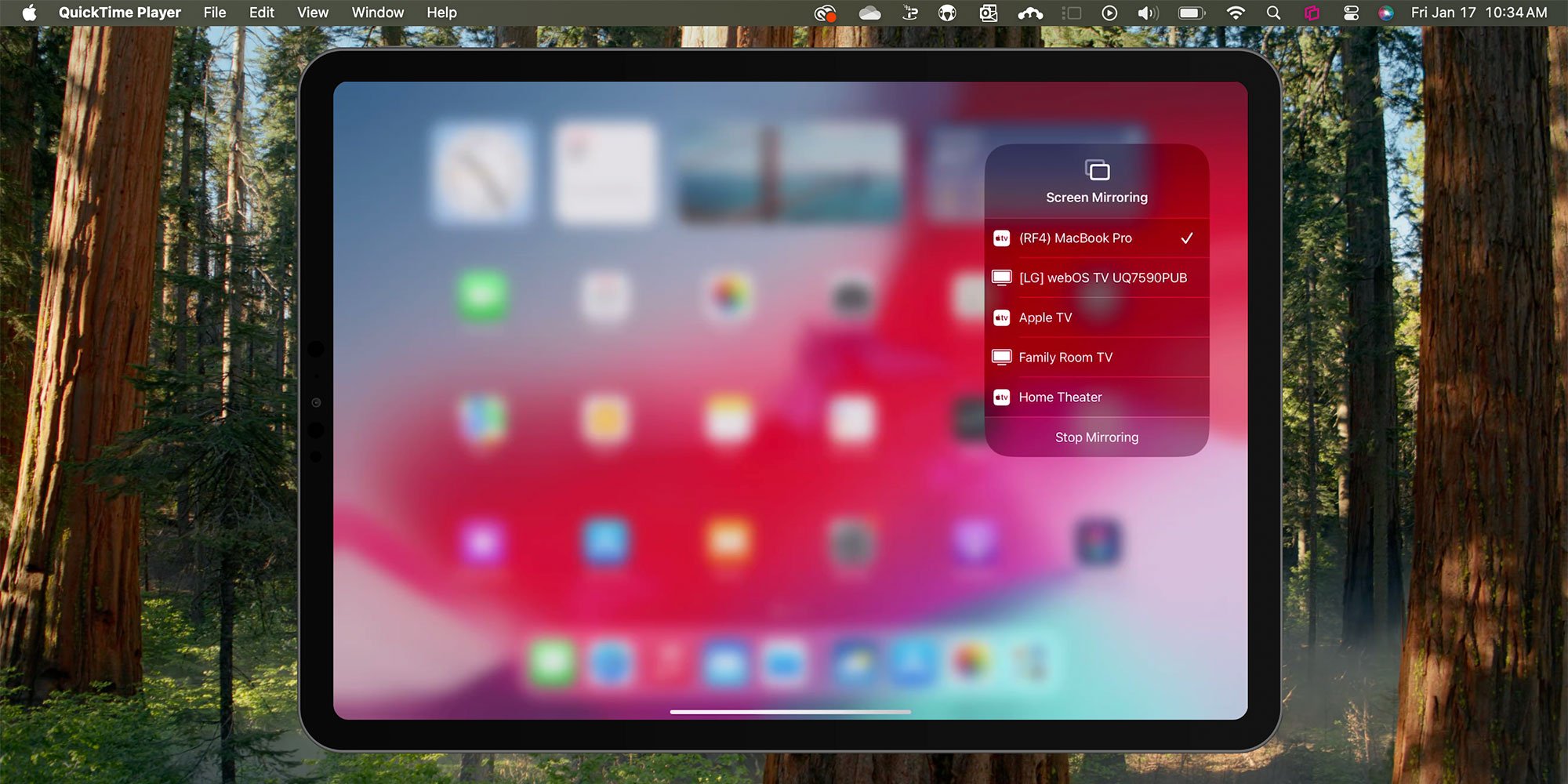
Note: If you need to screen mirror your iPad, follow this complete screen mirroring guide for iPad here.
Each section below shows you different customization options for your Bluetooth mouse. Before you begin, make sure you’ve set up a Bluetooth mouse and connected it to your iPad.
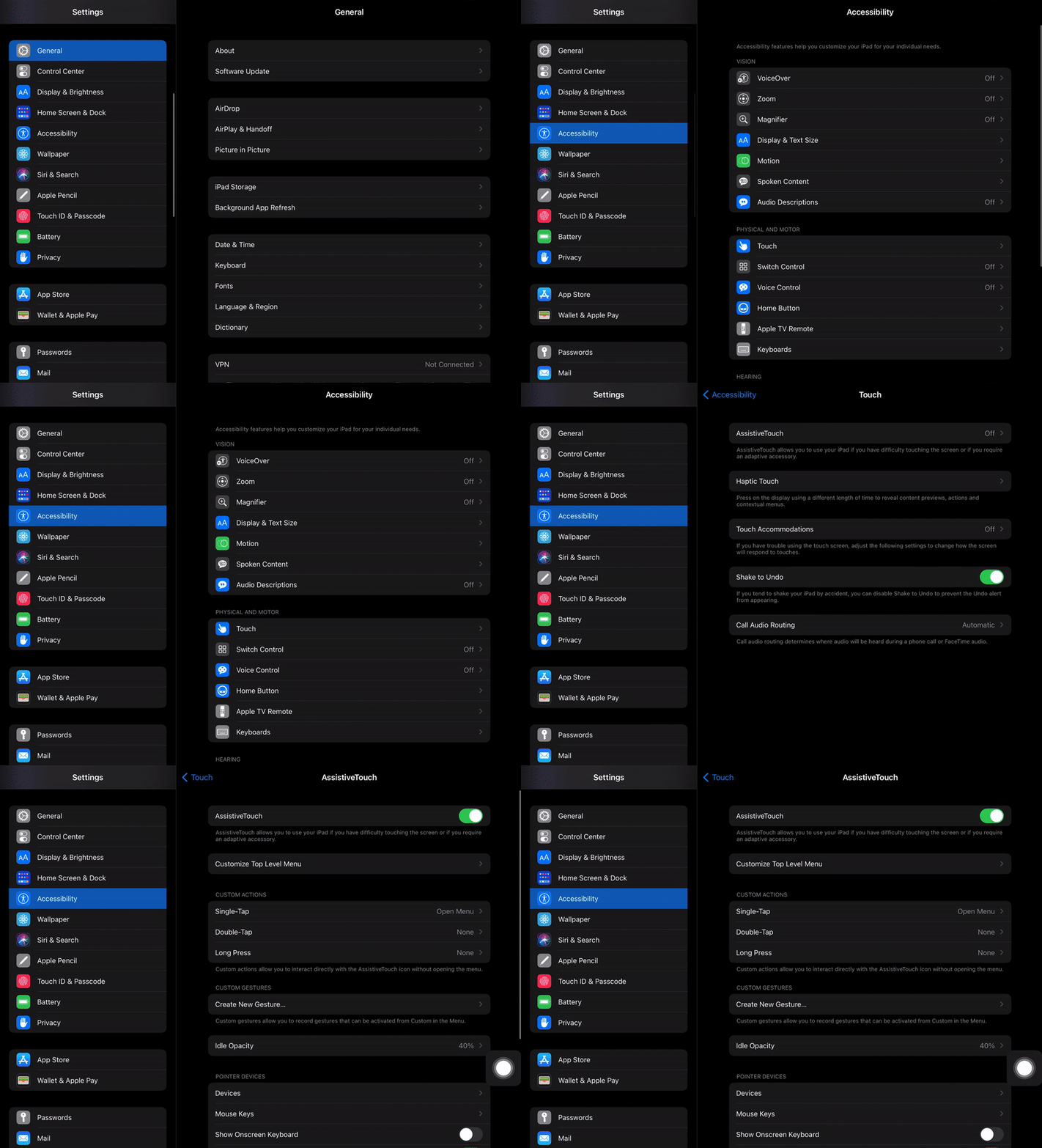
Each guide below requires you to navigate to the AssistiveTouch settings on your iPad. Here’s how to get there:
Open Settings on your iPad, then tap “Accessibility.”
Under Physical and Motor, tap “Touch.” Then tap “AssistiveTouch.” Ensure AssistiveTouch is toggled on.
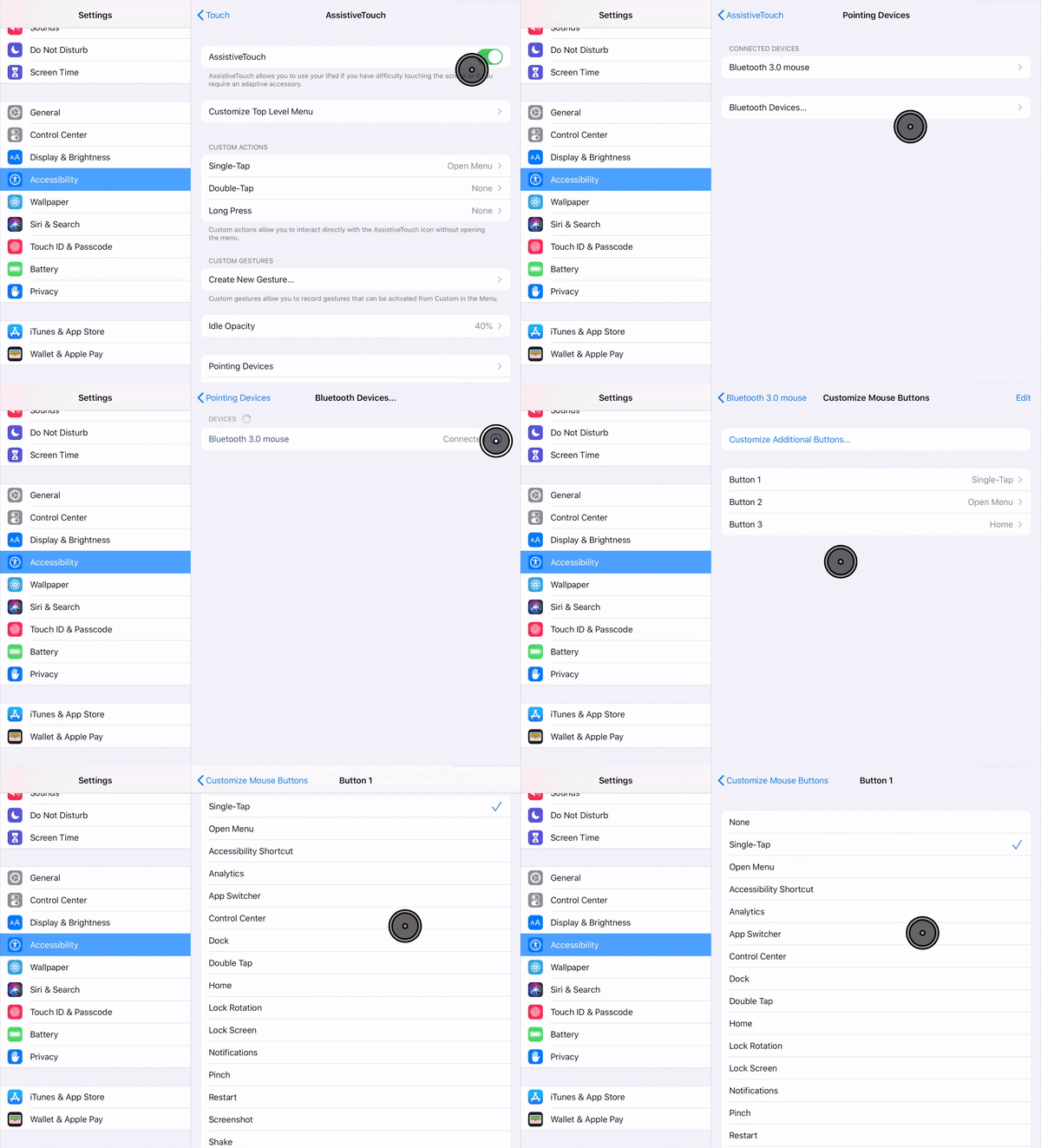
You can customize what actions the buttons on your mouse perform. Follow these steps to set specific buttons to open Control Center, go to the home screen, open Siri and more.
Inside AssistiveTouch, tap "Pointing Devices."
Tap “Bluetooth Devices…” and then tap the “i” symbol next to the name of your connected Bluetooth mouse.
Tap “Customize Mouse Buttons.”
Select the button on your mouse you’d like to customize.
Choose from the list which action you’d like the button to perform.
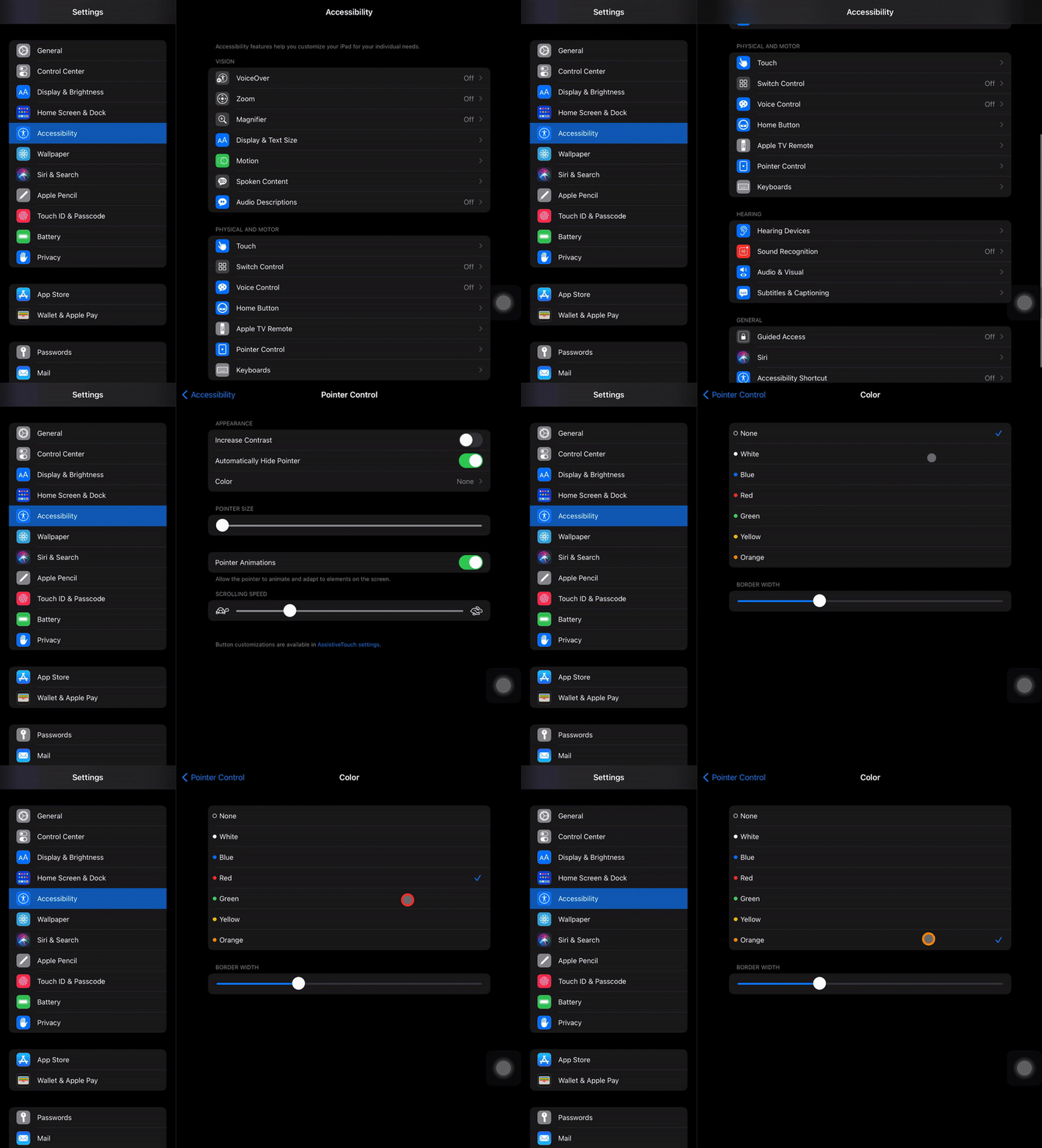
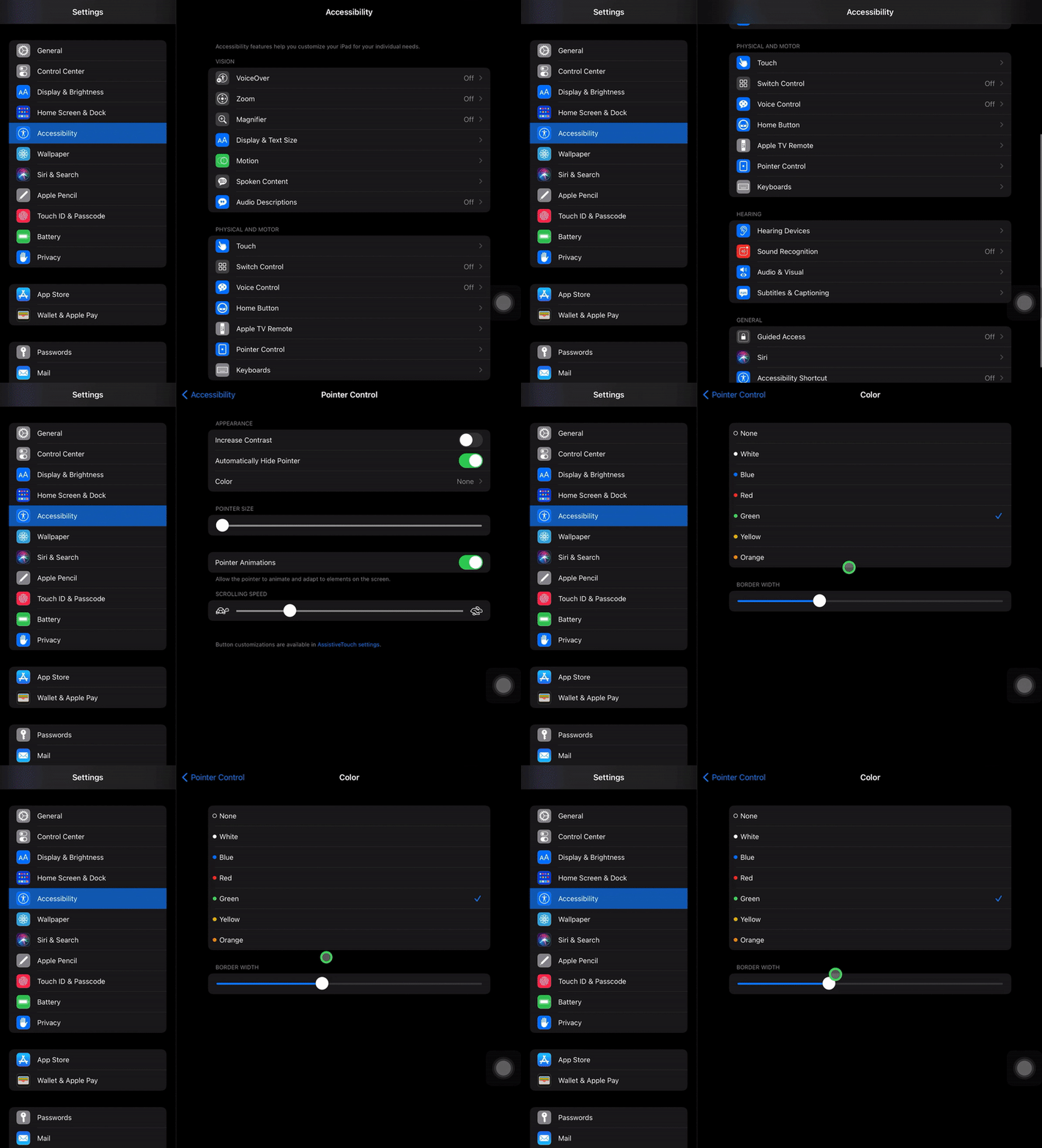
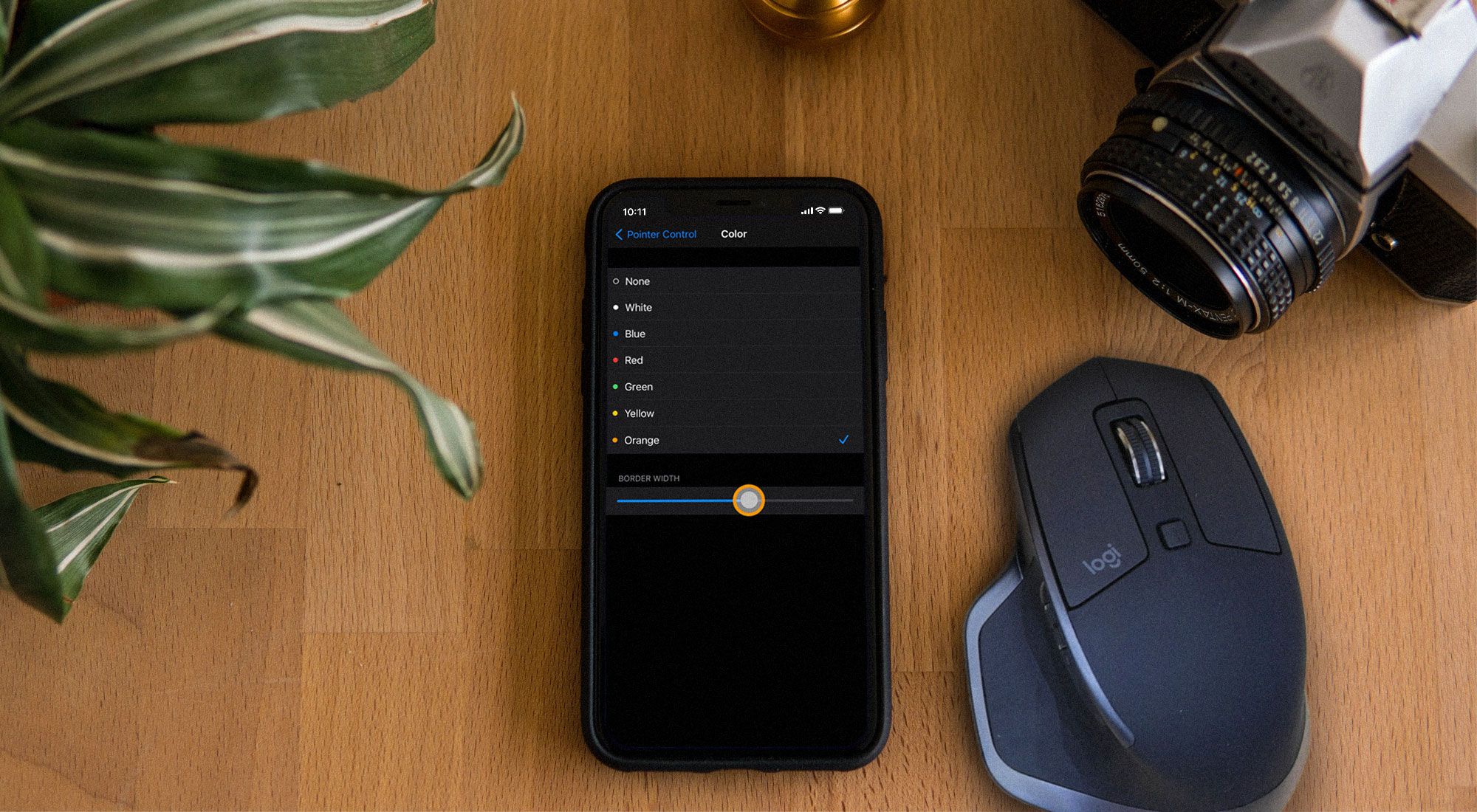
Adjusting the pointer's cursor color will only change the border of the ring, but it can be useful from an accessibility and aesthetic perspective.
Inside of AssistiveTouch, tap “Pointer Control.”
Under Appearance, tap “Color.”
Choose which color you prefer for the pointer.
This will change the width of the outer ring of the cursor. This option is in the same location as color settings.
Inside of AssistiveTouch, tap “Pointer Control.”
Under Appearance, tap “Color.”
Move the slider to adjust the pointer's border width.
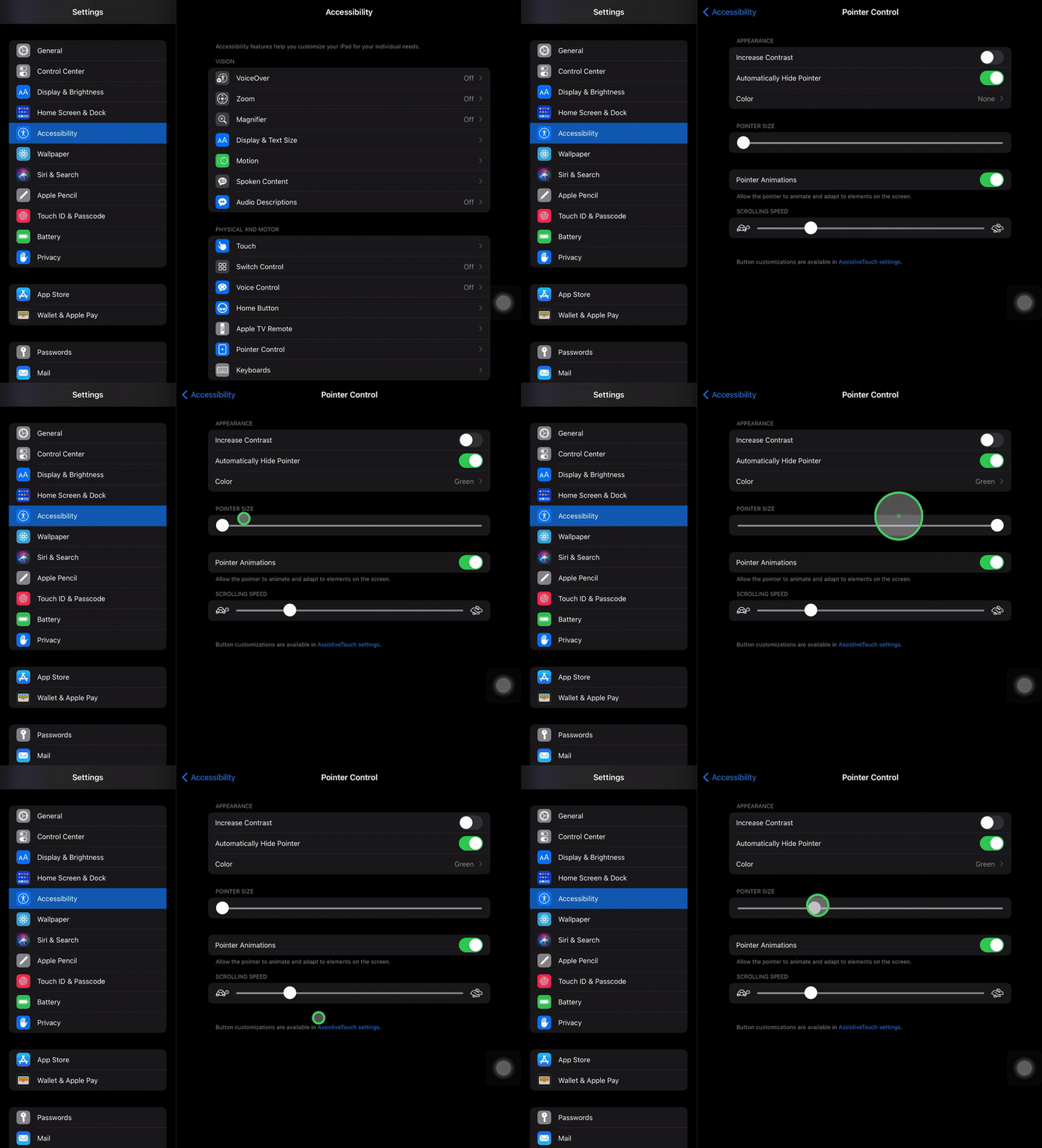
Inside of AssistiveTouch, tap “Pointer Control.”
Under Pointer Size, you can drag the slider from small to large to adjust the size of your mouse cursor.
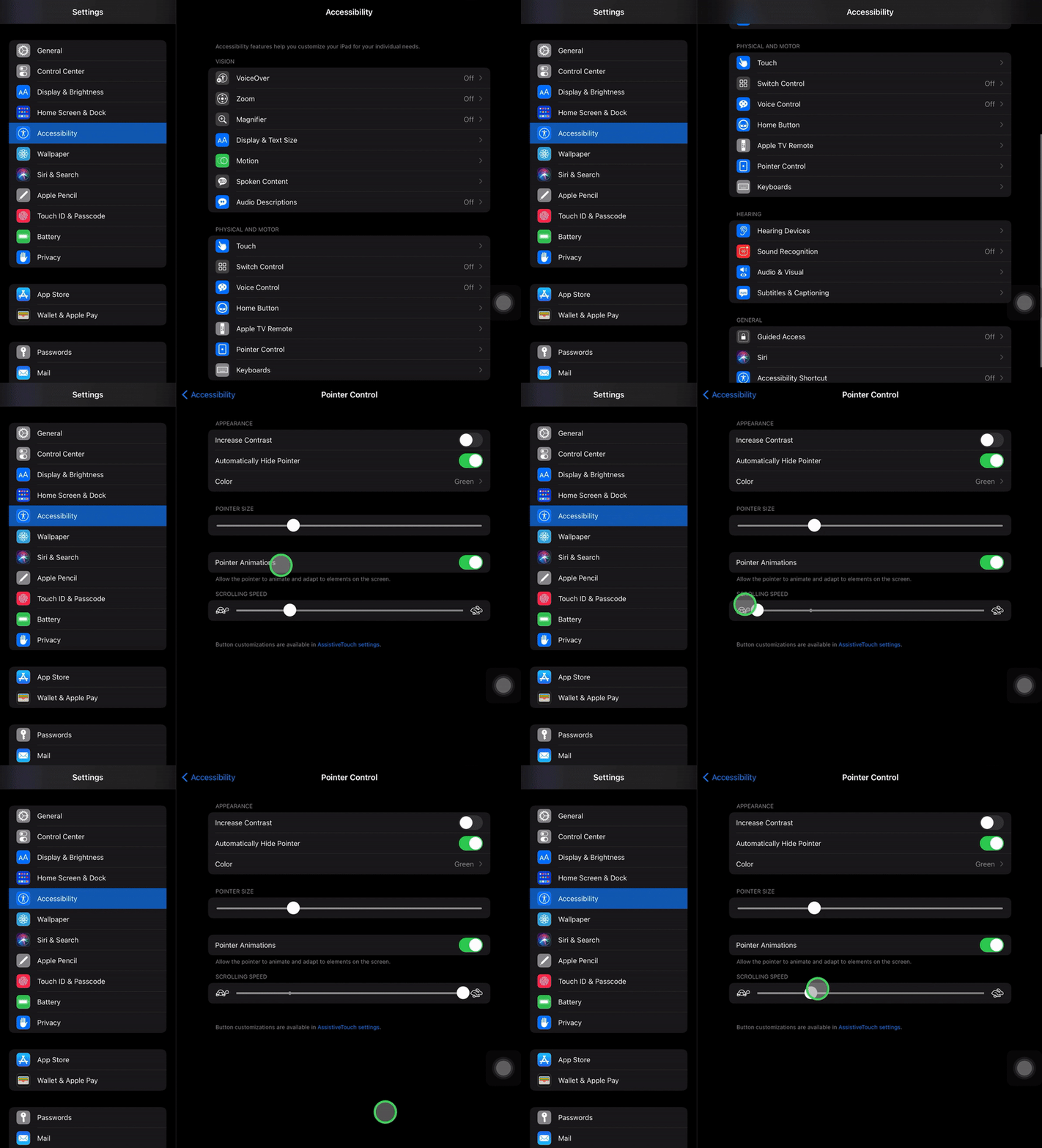
Inside of AssistiveTouch, tap “Pointer Control.”
Under Scrolling Speed, adjust the slider from slow to fast. Move your mouse around to determine what scrolling speed is best for you.
Need to screen mirror or record your iPad and mouse? Check out this helpful video.
Looking to customize your iPhone mouse setup? Check out this guide.

The new Ditto Fire OS Receiver brings wireless screen mirroring, digital signage and emergency alerts to Fire OS devices. It joins Windows, Apple TV...

Ditto now runs on Android-powered displays. The new Ditto Android Receiver gives schools and businesses another way to bring wireless screen...

Windows still can't receive AirPlay connections on its own. Try to open Screen Mirroring on an iPhone in a room full of PCs. The list comes back...
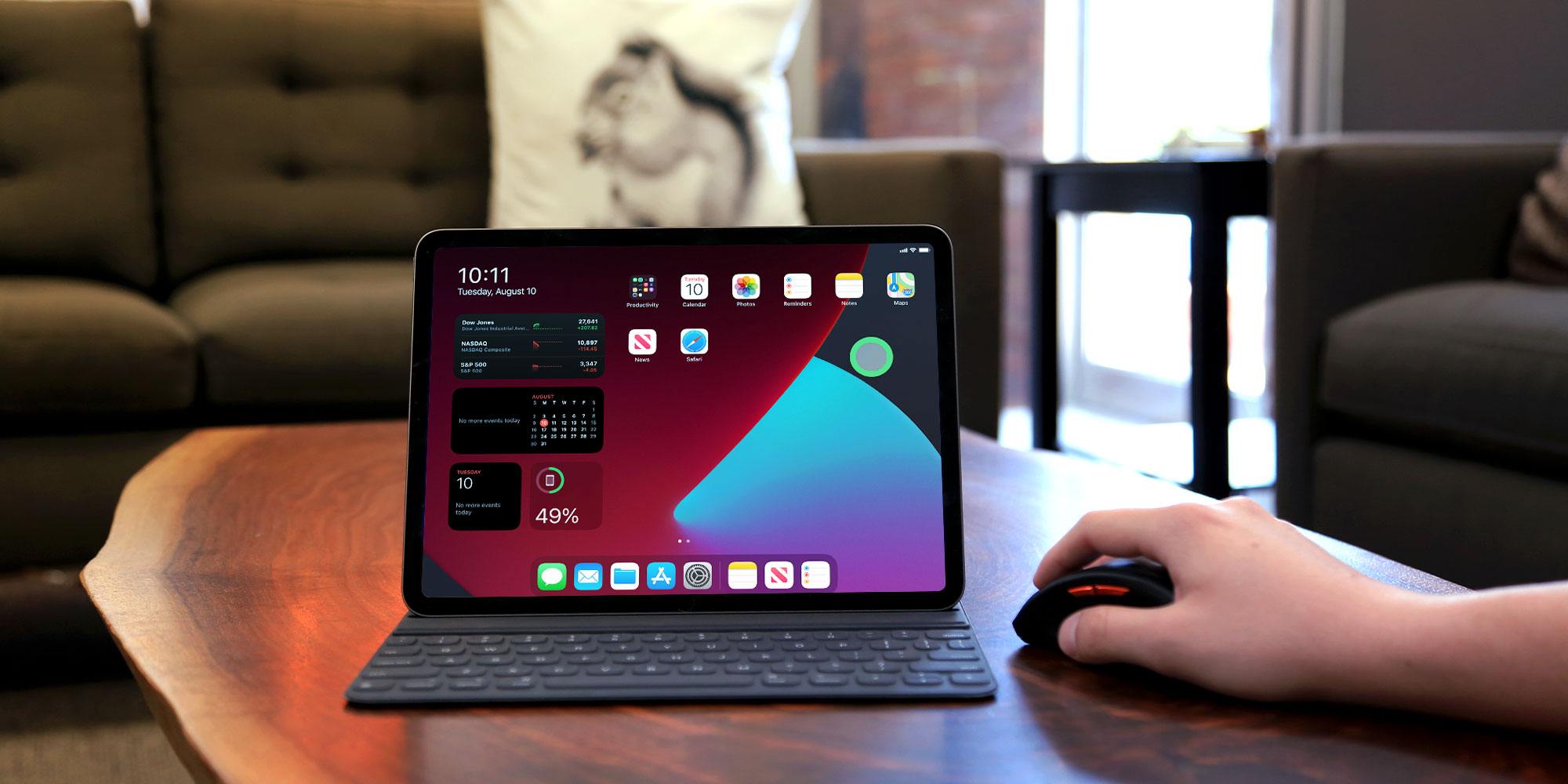
View and record on-screen taps with mouse support on your iPad. This step-by-step guide shows you how with Reflector screen mirroring software and...
Set up a Bluetooth mouse on your iPhone? Customize mouse buttons, color, size and more with this step-by-step guide. Updated in 2020 for iOS 14.
Discover how easy it is to AirPlay screen mirror an iPad, iPad Pro, iPad Mini or iPad Air running iPadOS 18. Get step-by-step instructions for your...

Mirror any device to your screen — wirelessly.
One universal license for each app — works on macOS and Windows.
— or buy Reflector 4 on its own —



For schools, districts or volume licensing — contact us.

Stream audio and video from your Mac or PC to any screen.
One universal license for each app — works on macOS and Windows.
— or buy AirParrot 3 on its own —
For schools, districts or volume licensing — contact us.