Introducing the Ditto Fire OS Receiver
The new Ditto Fire OS Receiver brings wireless screen mirroring, digital signage and emergency alerts to Fire OS devices. It joins Windows, Apple TV...

2 min read
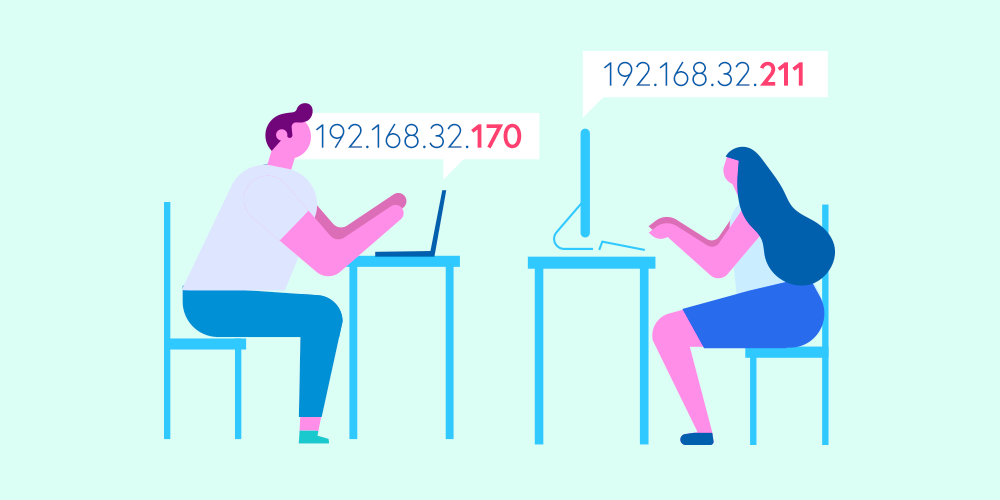
If you’re in charge of maintaining the office network or configuring devices to wirelessly present around your workplace, you need to know what internet protocol (IP) addresses are and how they impact devices on your network.
What is an IP address? How do IP addresses work? Why do you need to know about them?
Pull up a chair. We covered the basics for you.
An IP address is simply a number that identifies a specific point of entry for data in a network. It allows the internet to know where to send information.
IP addresses work in tandem with MAC addresses to properly identify devices and ensure those devices can communicate with the network and with each other.
192.168.32.170
2001:0db8:85a3:0000:0202:8a2e:0370:8329
2001:db8:85a3::8a2e:370:7348
Your internet service provider (ISP) assigns a unique IP address to your home or office network. Businesses often divide their networks into multiple, smaller segments, called subnets.
In addition to your network having an IP address, every device connected to the network, such as your work laptop or personal iPad, also has an IP address. When your device is online, the network needs to know where to send information your device has requested. Your IP address tells the network exactly where your device is, giving the requested information its final destination.
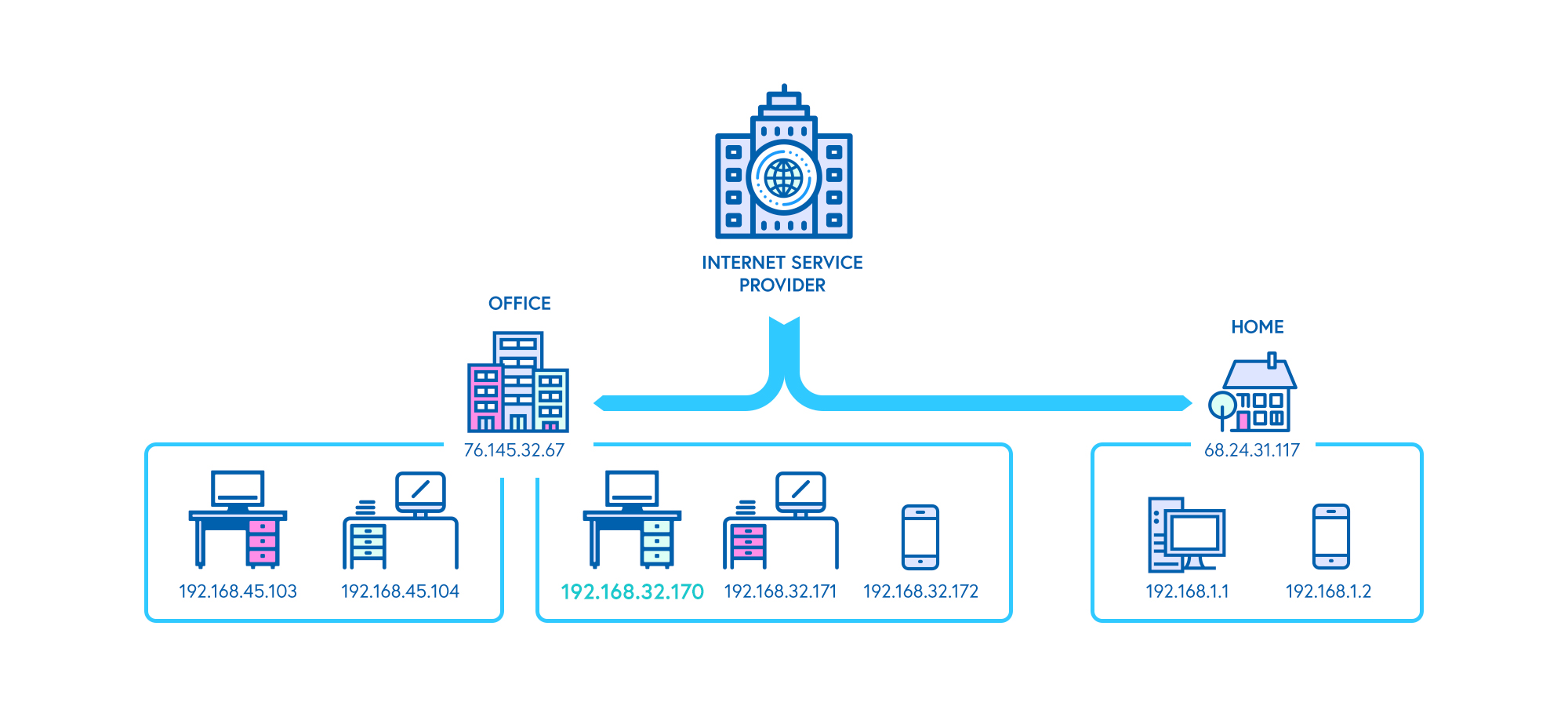
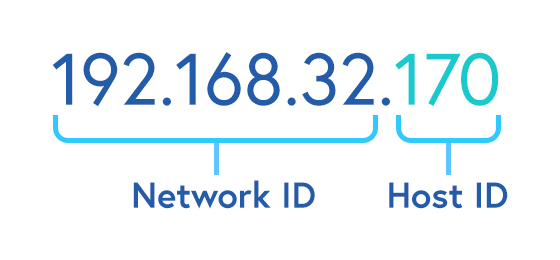
Data travels to your device correctly because of the way IP addresses function. IP addresses contain two main parts: a network ID and a host ID.
The network ID tells the internet which network it should deliver data to (like your corporate office). The host ID identifies which specific device on that network it should deliver to (like your work laptop).
Say the IP address of your computer at work is 192.168.32.170. The network ID of this IP address is 192.168.32.0. The host ID is 170.
The IP address of your computer at work may be different from the IP address of that exact same computer at your home. This is because the network you are on has changed. You went from your work network to your home network, giving your computer a different IP address.
Imagine you’re in a meeting and you need to wirelessly present to the big screen. You know you can quickly accomplish this task with a wireless presentation software called Ditto, so you enter goditto.com into a web browser on your computer.
A few things must happen before you get there.
Your computer requests data from the website goditto.com. IP addresses help distinguish what device is making the request and where to direct the request. On the flip side, they also distinguish where to send the requested data to get back to your computer.
By identifying your office’s network (192.168.32) and your computer on that network (170), servers deliver the appropriate data from goditto.com to your computer so you can access the website. This all happens in an instant.
From there, you’re able to wirelessly present and the meeting goes off without a hitch. This is all thanks to the work done behind the scenes with networks and IP addresses.
Learn how you can find the IP address for each device type below:
If you’re configuring a device to access your network, you’ll need to know its IP address. Data needs to know which internet-connected device it’s reaching. Otherwise, your devices won’t be able to access the internet or communicate with each other.
You’ll also need to know your IP address for a variety of technical processes, such as enabling remote desktop functionality, determining subnet masks or troubleshooting network failures.
Screen mirroring software like Ditto requires IP addresses for wireless receivers to display content. If you want to untether from cables and present wirelessly throughout your workplace, Ditto makes it easy. Start presenting effortlessly today.

The new Ditto Fire OS Receiver brings wireless screen mirroring, digital signage and emergency alerts to Fire OS devices. It joins Windows, Apple TV...

Ditto now runs on Android-powered displays. The new Ditto Android Receiver gives schools and businesses another way to bring wireless screen...

Windows still can't receive AirPlay connections on its own. Try to open Screen Mirroring on an iPhone in a room full of PCs. The list comes back...

This is an important update that addresses issues with macOS 10.15 Catalina.
Let's talk about the MAC address: what it is, where to find it and why you should care.
Reflector 4 adds all iPhone 14 models to its selection of mirrored device frames. Add the new frames to shared content while mirroring iPhone 14.

Mirror any device to your screen — wirelessly.
One universal license for each app — works on macOS and Windows.
— or buy Reflector 4 on its own —



For schools, districts or volume licensing — contact us.

Stream audio and video from your Mac or PC to any screen.
One universal license for each app — works on macOS and Windows.
— or buy AirParrot 3 on its own —
For schools, districts or volume licensing — contact us.