Introducing the Ditto Fire OS Receiver
Transform Amazon Fire OS-powered TVs in your school or business into screen sharing, digital signage and emergency alerting hubs with Ditto.

A new Reflector 2 update is available for Windows users.
You can update Reflector 2 by selecting “Check for Updates” from the Reflector 2 preferences menu. Additionally, you can download the new version from the Reflector download page.
Reflector 2.7.4 for Windows update notes:
Transform Amazon Fire OS-powered TVs in your school or business into screen sharing, digital signage and emergency alerting hubs with Ditto.
Transform Android-powered TVs, projectors and IFPs in your school or business into receivers for screen sharing, digital signage and emergency alerts.
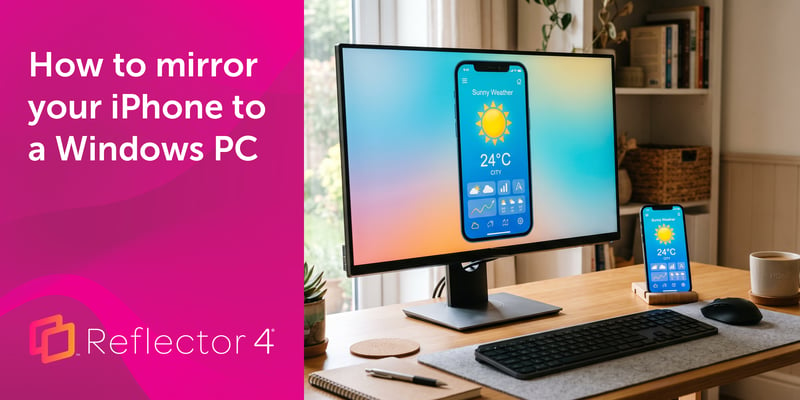
Windows can't receive AirPlay natively. Install Reflector 4 to wirelessly mirror an iPhone to your PC in four steps. No cables, adapters or extras...
Reflector 2.7.2 for Mac andWindows is now available. This update adds support for new devices and fixes bugs.
This update to Reflector 4 for Mac and Windows adds the ability to show in-app announcements and includes bug fixes and performance improvements.
This update to Reflector 4 for Windows resolves issues with streaming media from YouTube.

Mirror any device to your screen — wirelessly.
One universal license for each app — works on macOS and Windows.
— or buy Reflector 4 on its own —



For schools, districts or volume licensing — contact us.

Stream audio and video from your Mac or PC to any screen.
One universal license for each app — works on macOS and Windows.
— or buy AirParrot 3 on its own —
For schools, districts or volume licensing — contact us.